Creating a web app shortcut on your phones' desktop
To create a quick access tile for a web app on your phones' desktop, follow these steps based on your device's operating system:
For Android Devices
Open the web browser (usually Chrome) on your phone.
Navigate to the website you want to create a shortcut for.
Tap the three vertical dots (menu) in the upper-right corner of the browser.
Select Add to Home screen from the dropdown menu.
Customize the name of the shortcut if desired, then tap Add.
You may be prompted to drag the icon to your home screen; do so to place it where you want.
For iOS Devices (iPhone/iPad)
Open the Safari browser on your device.
Go to the website you wish to create a shortcut for.
Tap the Share icon (a square with an upward arrow) at the bottom of the screen.
Scroll down and select Add to Home Screen.
Enter a name for the shortcut, then tap Add.
The icon will appear on your home screen for easy access.
Benefits of creating a web app shortcut
Quick access to your favourite programs without searching through bookmarks.
Improved user experience as the web app can launch in full-screen mode.
Convenience of having essential tools readily available on your home screen.
By following these steps, you can easily create a quick access tile for your favourite web app, ensuring that you are always just a click away from your most-used websites!
Using your Alexa device
For those with an Amazon Alexa at home, tuning in to Radio1066 is effortless: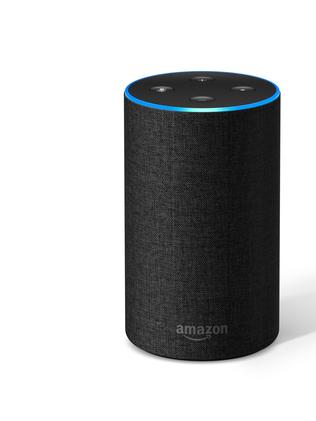
Ask Alexa to Play: Simply say, “Alexa, OPEN or START Radio10 66.” That’s all it takes to get connected to our programming!
Adjust the Volume: Manage the volume by saying commands like “Alexa, turn it up” or “Alexa, set the volume to 6.” This allows you to enjoy Radio1066 at a comfortable level.
Listening to Radio1066 while cooking or winding down has never been easier!
Streaming on your phone
For those who prefer listening while on the move, here’s how you can connect via your phone’s browser:
Open Your Browser: Launch the web browser on your mobile device. It could be Safari, Chrome, or another preferred app.
With this approach, you can enjoy local music and content anywhere in Leek!
Troubleshooting Tips
Even with our recent upgrades, technology can be unpredictable. Use these quick tips to ensure a smooth connection:
Check Your Internet Connection: Verify that you are using a strong Wi-Fi or mobile data connection.
Refresh the Page: If you encounter any problems on the website, refreshing the page often helps.
Ensure Your Device is Updated: Keeping your Alexa and mobile browser updated ensures the best experience.
These simple steps will help you continue enjoying your favourite local station without interruptions!
Type in the URL: Enter the address of the Radio1066 website just like you would on a larger device.
We have one important goal set out and that is....
"To become the online community radio voice of the 1066 area, connecting local people, organisations and businesses through local radio, news, music and community information."
So we have our launch plan organised and studio is starting to look good.
Launch date has been set for 5th December 2026, that's when we have loads of treats lined up for you. (but more about that later).
And thank you for joining us.


PRS:LC-005637 PPL,AC: C-002607